
Budget Smartphones Which Are Great For Watching TV

With smartphone screens growing and viewing habits changing, TV has quickly become a staple part of our smartphone experience. Recent reports established a record number of TV hours spent on our smartphones, totaling 18 hours per year per user.
With that in mind, smartphone manufacturers have been eager to offer consumers budget smartphones capable of playing TV. But how can you balance the books when buying a smartphone that’s capable of meeting your TV needs?
Best Phones for watching TV
HTC Desire 620 – 4G

**Like the look of this handset? **Check out our great HTC smartphone deals here!
With 4G support and a great display, the HTC Desire 620 won’t set you back too much, in fact it’s an absolute bargain at under £15 per month, which still provides a great viewing experience if you’re a television nut. The Android operating system also has access to a healthy array of apps, so you won’t be stuck with nothing to watch if you pick up this handset either!
LG G3 S – Big Screen

A great budget handset which does rock a large display is the LG G3 S – which boasts a healthy 5″ HD screen. Also, with all of LG’s technical input from the G3 included, you know you’re going to get a reliable device as well. And for well under £20 per month, it’s utterly affordable entertainment!
Nokia Lumia 630 – Processing Power

The Nokia Lumia 630 could be an ideal option for budget TV hunters, as it features a quad-core 1.2GHz processor that’s capable of handling even the most intense live TV apps. Whether it’s BBC iPlayer, ITV Player or something else, the Lumia 630 won’t break a sweat whilst you catch your favourite show.
Apps for watching TV
Whilst your smartphone is an important piece of kit, your app catalogue is equally vital if you’re a TV junkie. Let’s face it – we aren’t going to find all of our favourite shows on one app, are we? But with so many out there, which should we make use of?
Catch-Up TV apps
BBC iPlayer, 4OD, ITV Player, Demand 5, YouTube.

Depending on what happens to be your favourite channel, you may end up picking between a couple of these top quality catch-up TV apps- which are all free to download! 4OD and BBC iPlayer allow you to download programmes as well as stream them live, which means you won’t have to use up all your precious data when you’re out and about.
YouTube is an absolute must-have app, whether you’re looking for something specific or are just bored surfing the net. With the world’s largest mixture of video on the web, the YouTube app is the go-to place for any TV junkie. Warning, you will also find yourself trawling through all sorts of other videos as well –one minute you can be watching a documentary about penguins, the next watching a shitzu fall down the stairs…
Watching Films/Boxsets
Netflix, Amazon Instant Video, Hulu Plus.
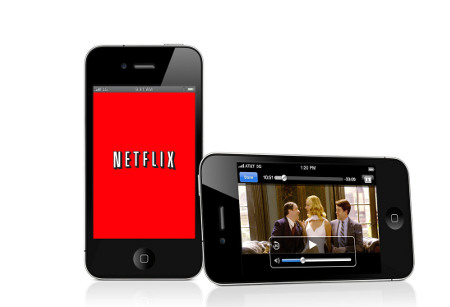
These apps are the biggest names in the business; the likes of Netflix and Amazon speak for themselves, with both claiming numerous films and TV shows in their libraries. Hulu Plus is also a great addition for movie buffs, and if you have all three apps, you’ll never have to fire up your television set ever again! All of these apps require a subscription however, so although the apps themselves might be free, you’ll have to pay a monthly cost.
Live Sports Apps
Sky Go, BT Sport, BBC iPlayer (only if shown on BBC).

If you have a hunger for competition and a Sky Sports subscription at home, then Sky Go is by far the best UK based sports streaming app in the business. You’ll be able to keep up with all of your channels, cheering on your team whether you’re in a meeting or on the bus.BT sport is another subscription based service that works similarly to Sky Go, but does tend to show some more diversity if that’s what you’re after. Finally, if you’re not a subscription fan, then you’ll also be able to catch some sport on the iPlayer app, though this tends to be a bit hit and miss depending on what the BBC is licensed to show.
Top tips for watching TV on your phone
Watching TV could kill your battery…
Watching the television on your smartphone is all well and good, but there are some pitfalls you should look out for.
Battery life is one of them – It’s very easy to sit on the train with an episode of Game of Thrones, but it’s even easier to run out of battery doing so. You might want to invest in a power bank or spare battery top keep this from happening too often.
**More into your music? **Check out the top 5 phones for your music collection in 2015 here!
TV apps can eat up your data!
Also, mobile data can be at a premium. One way to avoid this is to use the download function on apps like BBC iPlayer, another is to download TV shows at home and copy them to your handset. Either way, streaming 30 minutes of TV can take up to 175MB of your monthly allowance, so you should always keep tabs on your usage. Ideally, you could pick up a high data tariff to avoid this expensive problem.
Don’t worry though, just connect to WiFi and save your mobile data! If you’re not sure how much data you need, check out our mobile data plan guide.
Finally, all’s good in moderation. Regardless of how much TV you normally watch, it’s not exactly healthy to watch all 236 episodes of Friends one after the other (no matter how much we’d love to). So, whilst we definitely recommend using your smartphone regularly, just make sure to give it a break now and then!